You tap “I know it” — and freeze when you need the word.
Remleaf asks you to recall, write and say the word, not just recognise it.
English vocabulary for iPhone
Remleaf turns words you recognise into words you use. Recall them, write them, say them out loud — and let spaced repetition bring each one back right before you’d forget it.
Why words don’t stick
Most apps stop at “I’ve seen this before”. Real conversations need the word on the tip of your tongue — spelled right and said right. Remleaf trains exactly that.
You tap “I know it” — and freeze when you need the word.
Remleaf asks you to recall, write and say the word, not just recognise it.
You never know which words to review, so you review none.
Spaced repetition plans every day for you. Just open the app.
You read a word right but say it so nobody understands you.
AI scores your pronunciation down to each sound and shows what to fix.
How it works
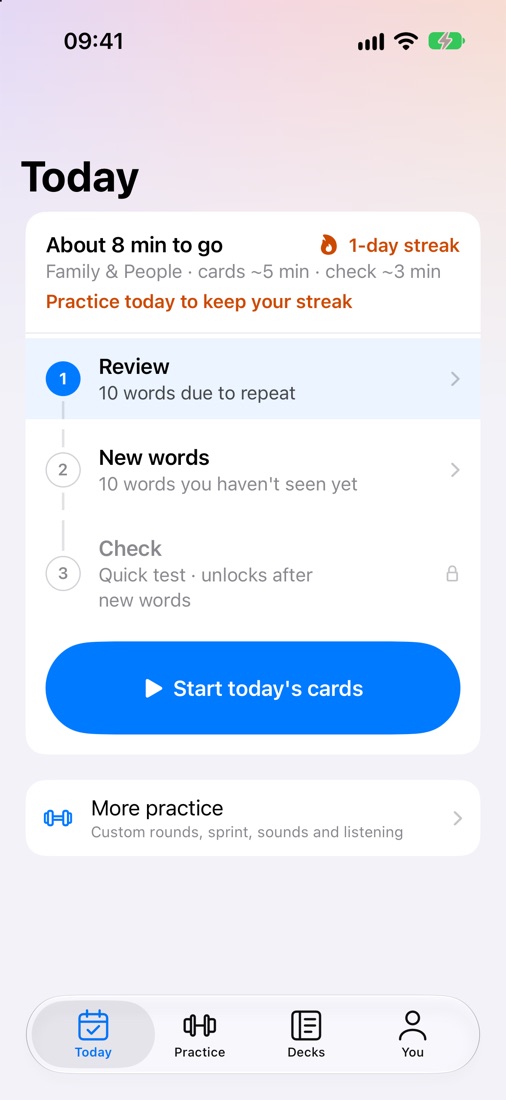
Review what’s due, learn a few new words, lock them in with a quick check.
Reviews due today, a handful of new words and a quick check — with an honest estimate of how long it takes. No decisions, no guilt.
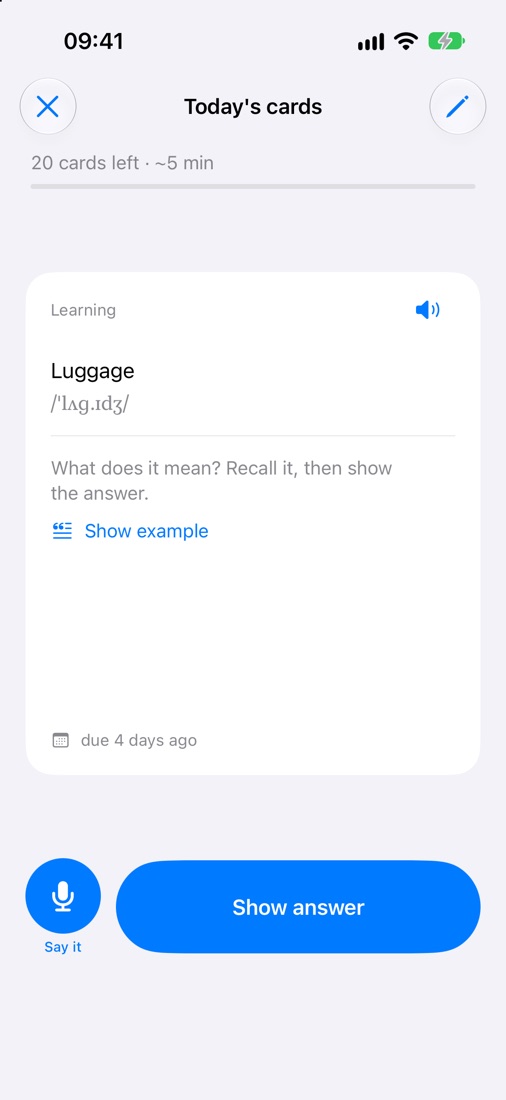
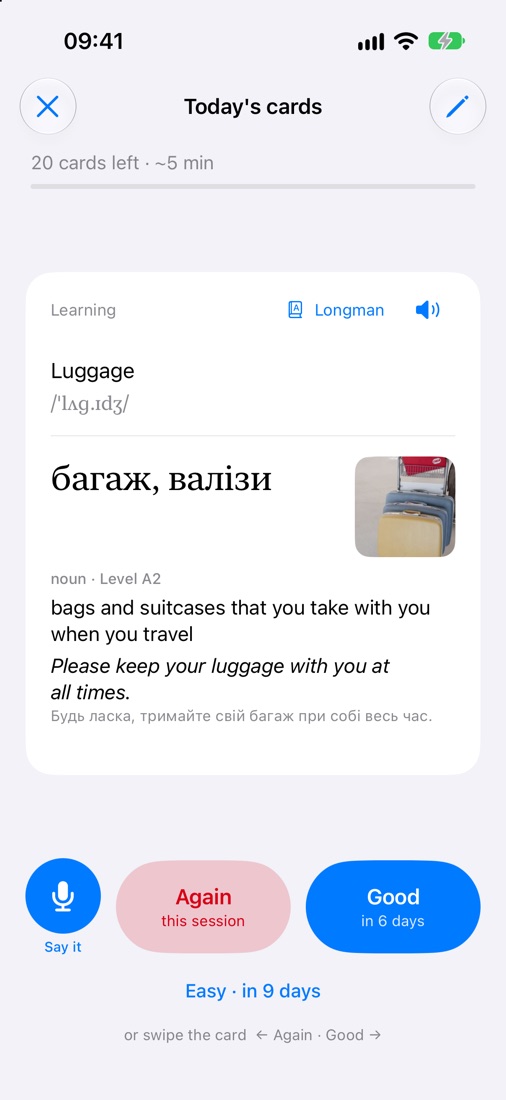
Each card shows the word first. You pull the meaning out of memory — the effort that makes it stick. Need a hint? Show an example, not the translation.
Again, Good or Easy — you see exactly when the word comes back. Translation, picture, definition and a real example on every card.
Today’s words and yesterday’s mistakes, in five kinds of exercise. A word you barely know gets an easy one; a word you know well has to be typed or said. So the check is never too easy to be useful or too hard to finish.
AI pronunciation coach
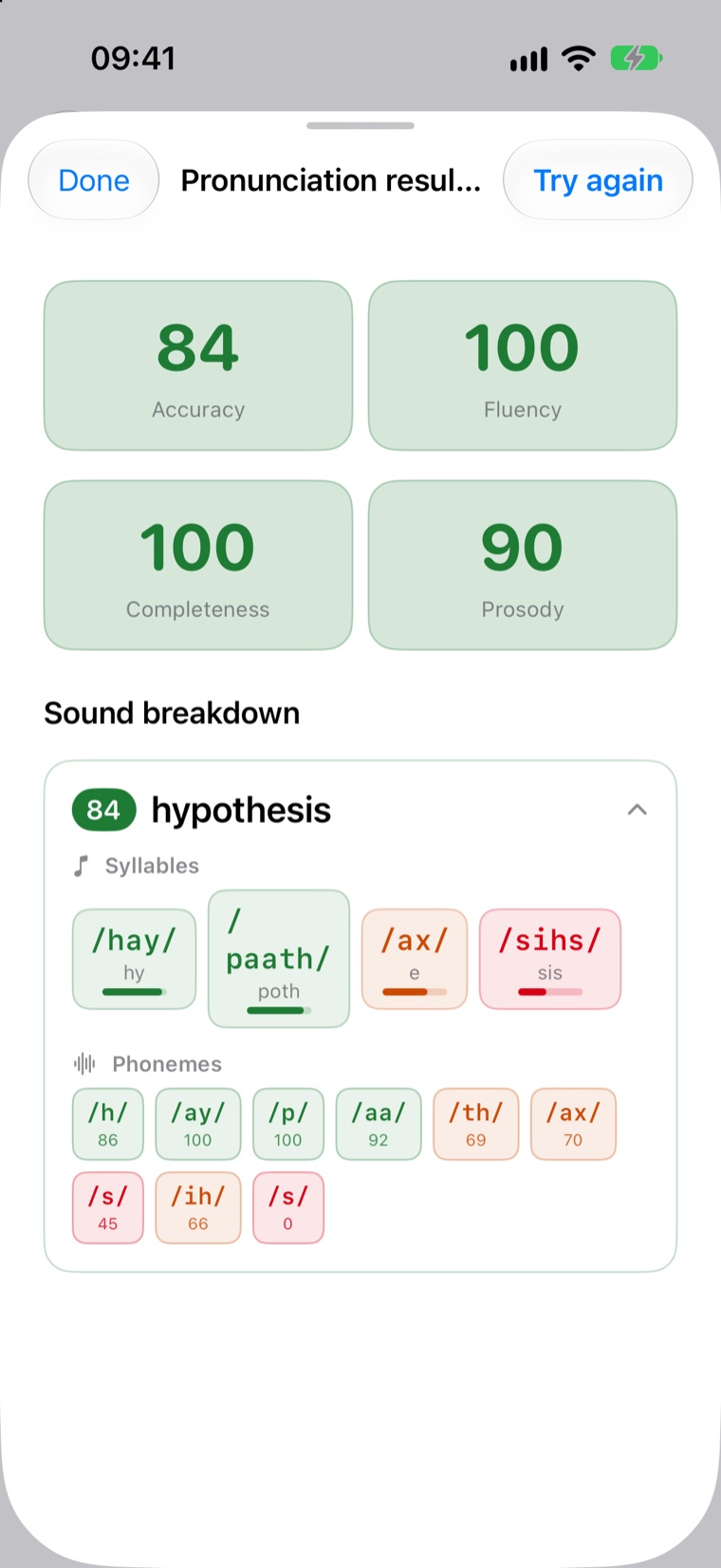
Tap the microphone and say the word. Remleaf scores accuracy, fluency, completeness and prosody, then breaks the word down by syllable and sound.
Trainers
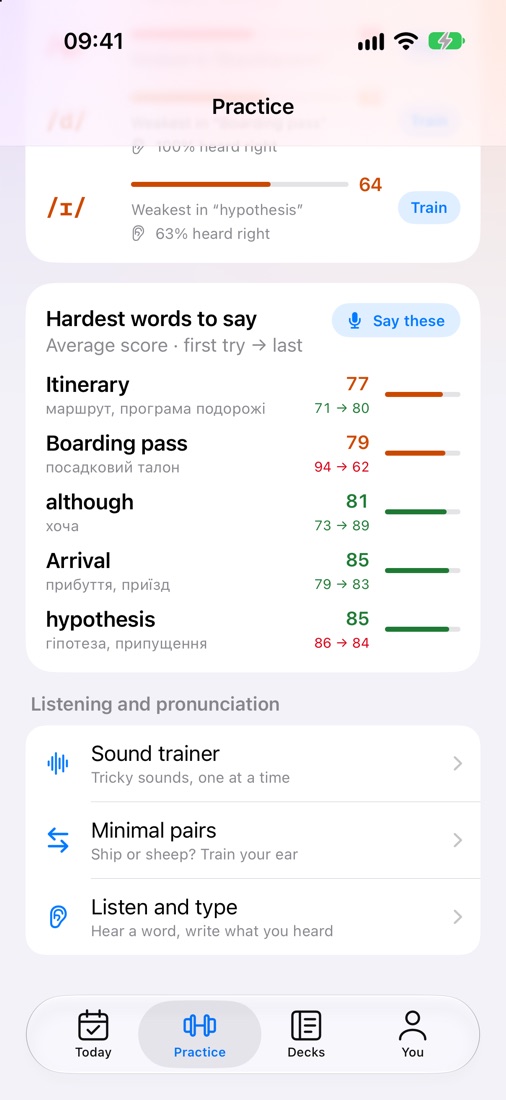
Finished your plan and want more? Each trainer works a different skill — speed, listening, spelling or pronunciation.
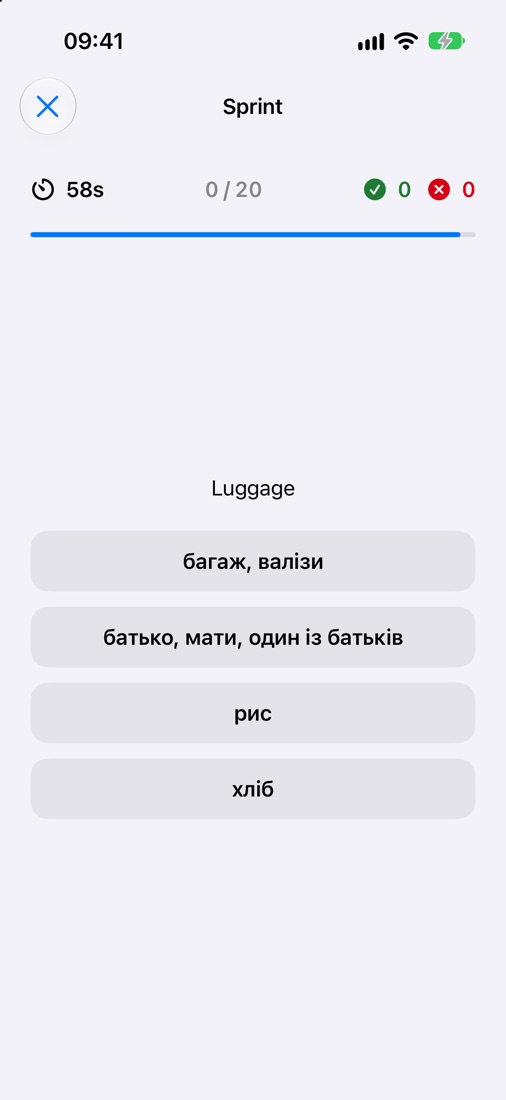
60 seconds, 20 words you’ve studied, four options each. Fast answers turn “I know it” into “I know it instantly” — the speed real conversations demand.
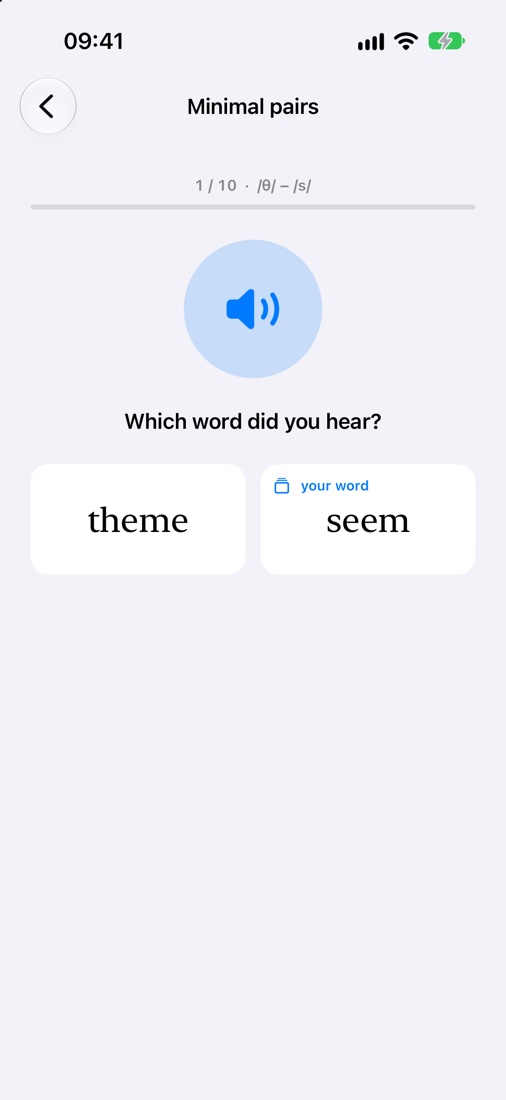
Ship or sheep? Theme or seem? Hear one word and pick it. Rounds mix your weakest sounds, and pairs are built from words in your own decks.
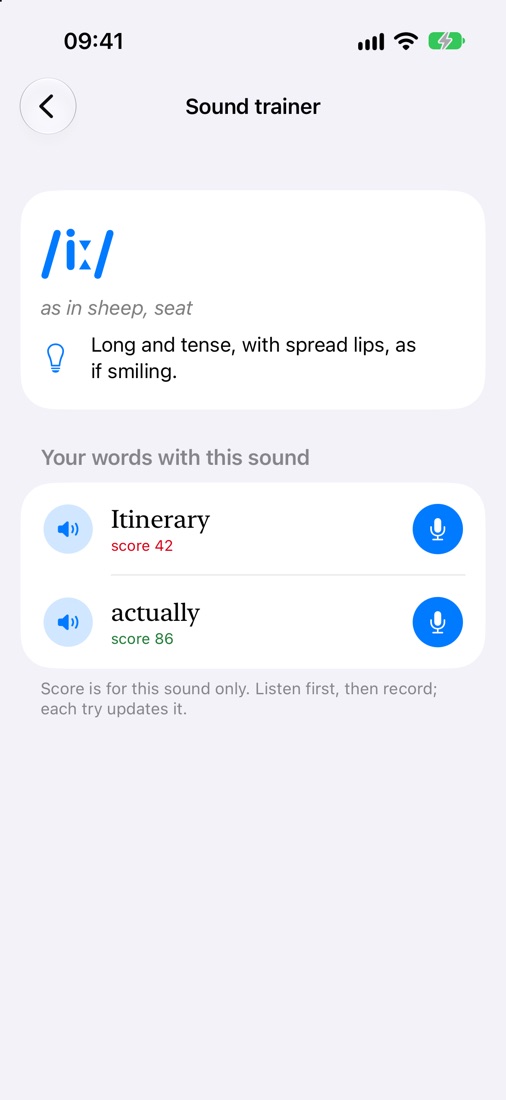
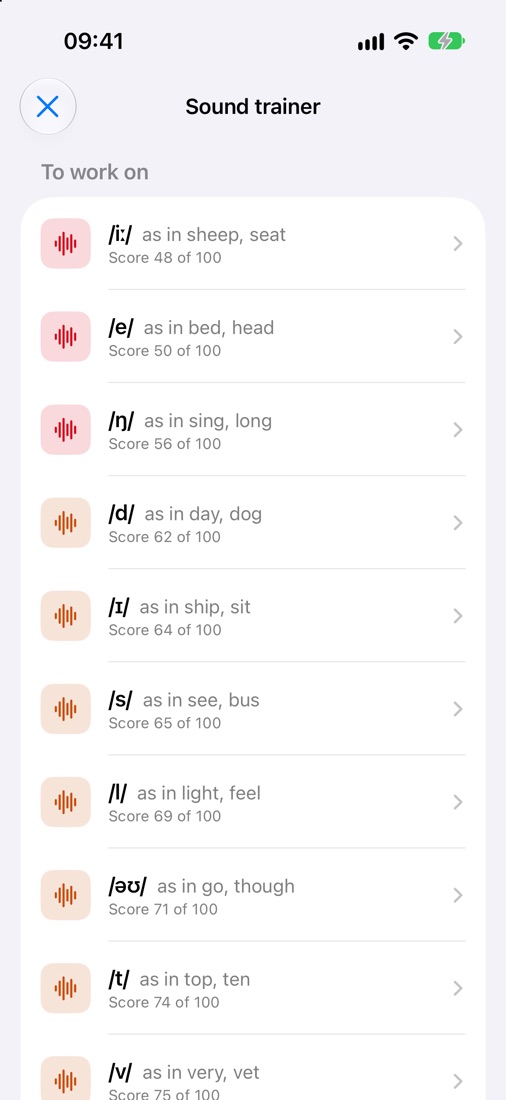
One tricky sound at a time, with a tip on how to make it and your own words that contain it. Listen, record, and watch the score for that sound climb.
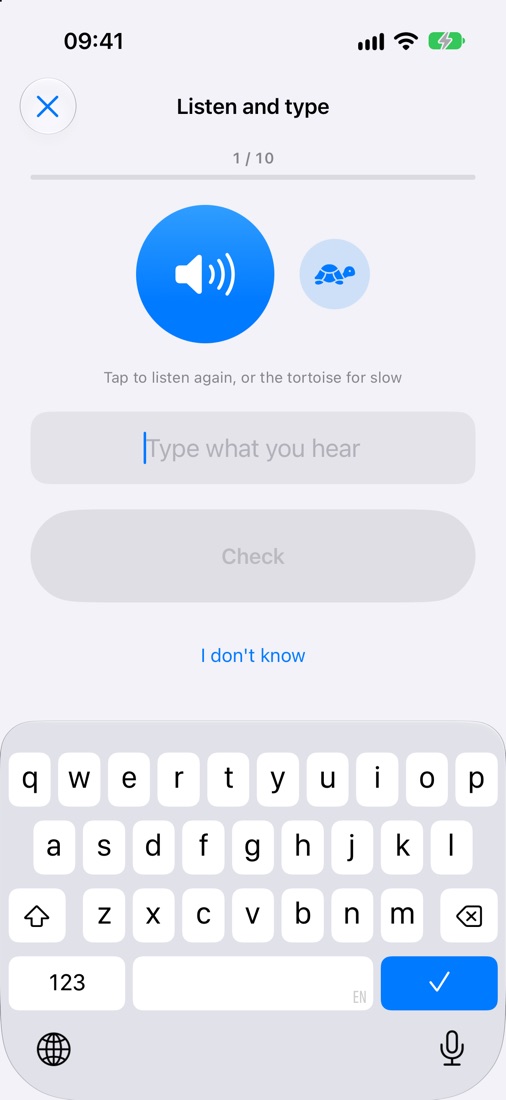
Hear a word and write it. Replay at normal speed or slow it down with the tortoise. Trains the link between sound and spelling.
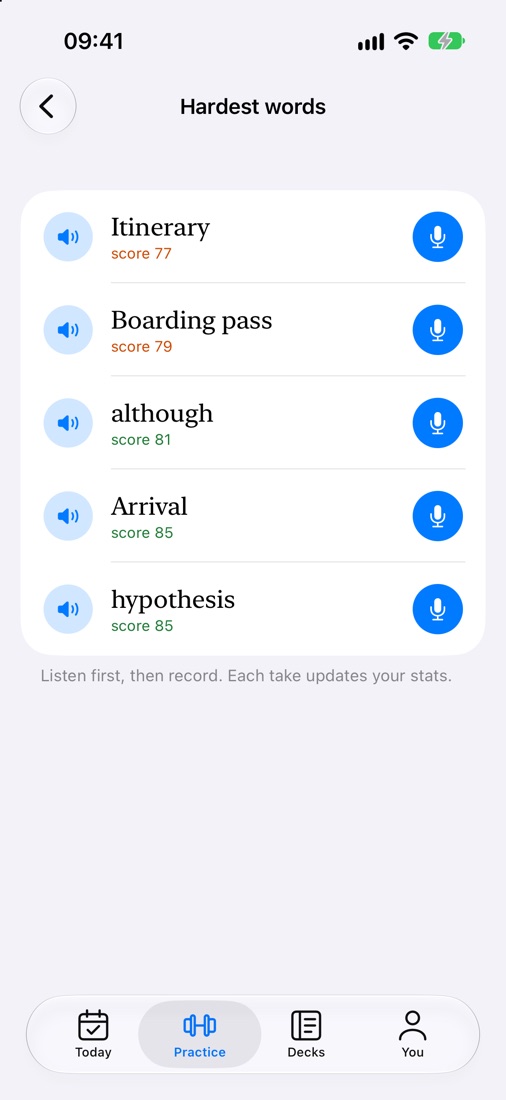
The words you score lowest on, in one list. Listen to each, say it again, and see your first try next to your latest.
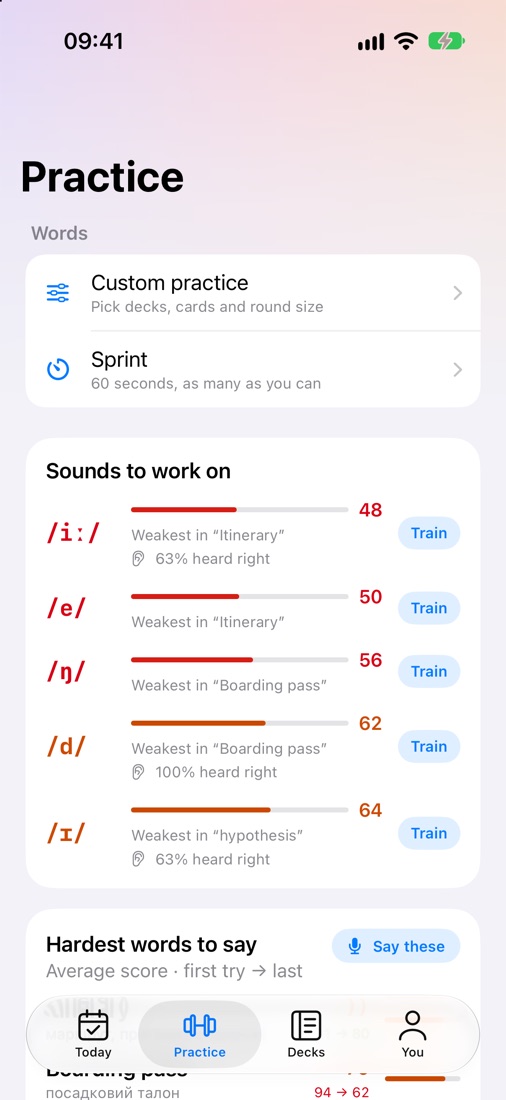
Pick the decks, the round size and whether to include new words. Extra practice never shifts your review schedule, so go as long as you like.
Your words
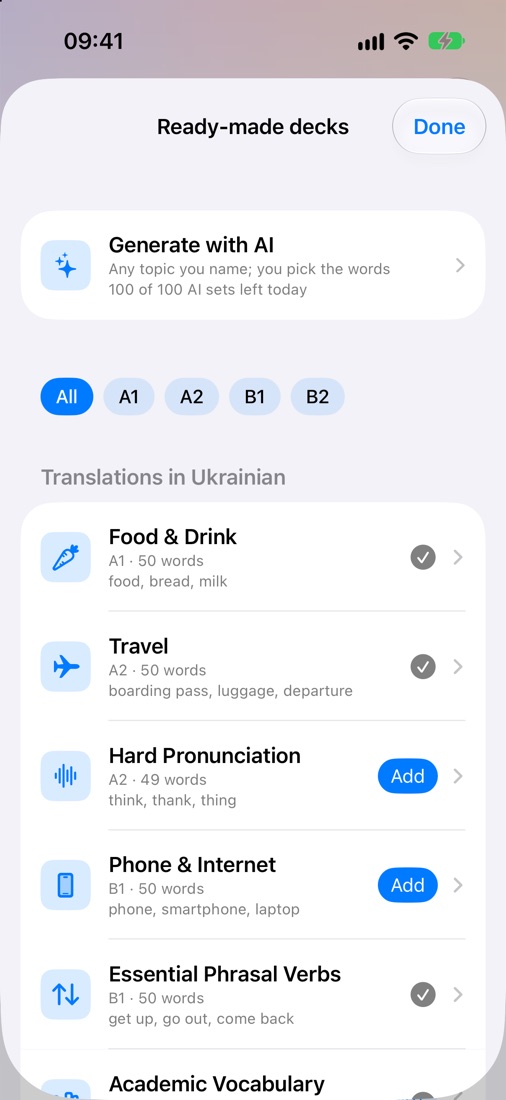
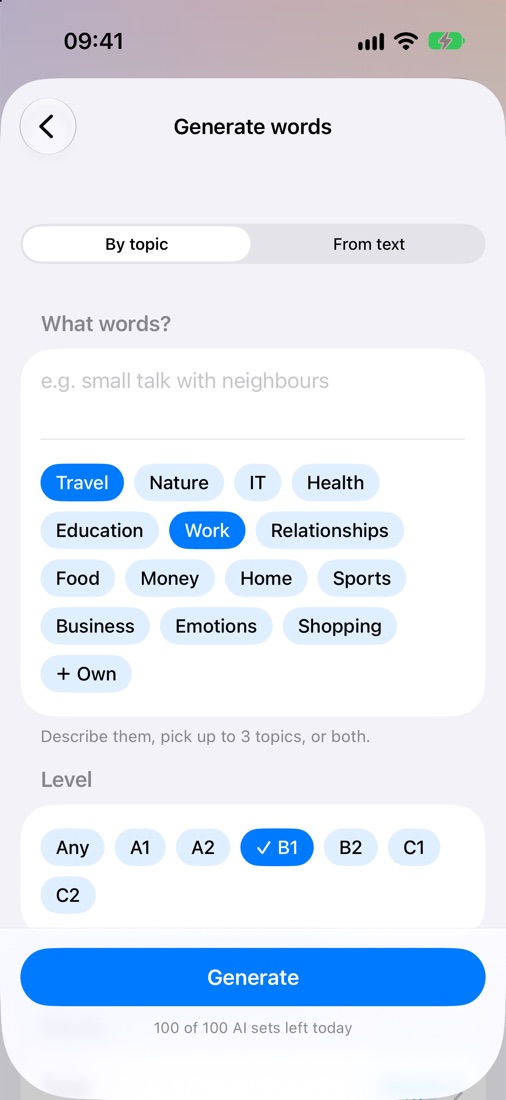
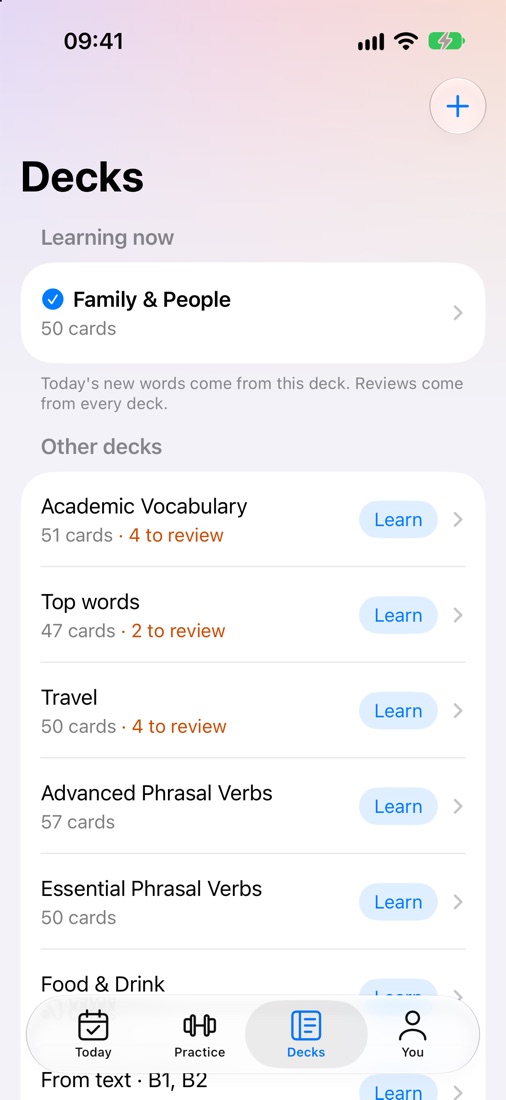
Getting ready for a trip, an interview or a new job? Start from a ready-made deck or build one in seconds. Every card comes with a translation in your language.
Progress
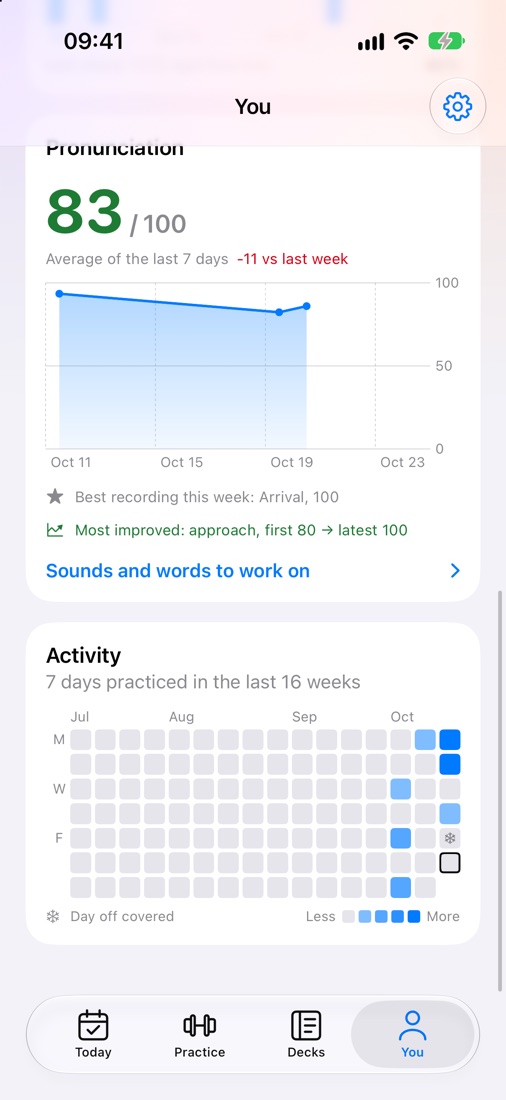
Motivation comes from seeing results. The You tab shows what you’ve learned and how you sound — week after week.
Compared
| Remleaf | Typical flashcard apps | |
|---|---|---|
| Asks you to recall, not just recognise | ✓ | — |
| Plans each day for you | ✓ | Sometimes |
| Scores pronunciation by sound | ✓ | — |
| Listening and minimal-pair trainers | ✓ | — |
| Builds decks from any topic or text | ✓ | — |
| Translations in your language | 14 languages | Varies |
| Works offline | ✓ | Varies |
Learning runs on your device, even offline. Sync happens only when you sign in. Your voice is recorded only after you tap the microphone, and photos of word lists are read on your phone. No ads, no selling your data.
Privacy policy →Pricing
$0
Coming soon
Settings → Plan & limits always shows what’s left and when it resets.
Didn’t find an answer? Write to us.
Most flashcard apps settle for recognition: you see a word and tap “I know it”. Remleaf makes you produce the word — write it, build it, say it — and scores how you pronounce it. That’s what moves a word from your passive vocabulary to your active one.
Five to ten minutes a day is enough. Today shows how long your plan will take before you start, and you choose how many new words to add each day.
No. Start right away; sign in with Apple or Google when you want to sync progress across devices.
Ukrainian, Spanish, German, French, Italian, Portuguese, Polish, Turkish, Russian, Arabic, Hindi, Japanese, Korean and Chinese. Switch any time and your cards update.
You can start for free. Cards, reviews, the daily check, trainers and ready-made decks are included. Features that use AI — pronunciation scoring, word lookup and AI word sets — have daily limits on the free plan. Paid plans with higher limits are coming.
Yes. Reviews, checks and practice work offline. Pronunciation scoring, word lookup, AI sets, the deck library and sync need a connection.
Your choice. The accent you pick is used for audio and for pronunciation scoring.
Yes, right in the app settings. Your learning data on the server is deleted with it.
Five minutes a day. Words you can say without thinking.